
Seti Astro Suite Pro

Current Version 1.23.x
Seti Astro Suite Pro is here!! After just an immense and herculean effort I have completely migrated to a substantially better UI completely overhauling the ease at which you can do everything from Stacking your subs, to post processing, to evaluating some real science on the back end.
Cosmic Clarity no longer needs to be downloaded separately! It is now all in one!!! Old Cosmic Clarity Page HERE
SASpro brings together a wide range of tools for the astrophotography workflow, including advanced stacking, dynamic background extraction, object identification with SIMBAD and Vizier integration, star-based white balance, sophisticated sharpening and denoising, diffraction spike generation, halo reduction, Blemish Blaster, WaveScaleHDR, and more and more and more. With a unified PyQt6 interface, real-time previews, and a modular design, it’s designed to feel powerful yet intuitive — giving astrophotographers of all levels the ability to explore deep-sky imaging with professional-grade processing.
This suite represents countless hours of coding, testing, and community feedback, and I’m excited to finally share it in a form that is both more powerful and easier to use than ever before. Whether you’re enhancing faint nebulae, chasing exoplanet transits, or just stretching your latest image from a night under the stars, SASpro provides a comprehensive, ever-growing toolkit to bring your astrophotography to life.
Join the Discussion on my DISCORD
Continue scrolling for images of SASpro and features!!
Some Common Shortcuts
User Submitted Scripts!
⚡ Performance & Storage Recommendation (Important)
Seti Astro Suite Pro operates best and most reliably when all image data and working folders are located on your fastest local drive — on most systems, this is the C: drive (or your primary NVMe/SSD).
Strongly recommended:
Place all image files on your fastest internal drive
Place any working folders (for example: stacking folders, temporary processing directories, caches, or output folders) on the same fast internal drive
Strongly discouraged:
External USB drives
Network drives
Slower HDDs used as active working directories
Many SASpro operations (stacking, alignment, rejection, previews, GPU-assisted processing, and large temporary file usage) are I/O intensive. External or slow drives can significantly reduce performance, cause stalls, or lead to unexpected behavior.
Note: Although SASpro can be executed on machines with 16 GiB of RAM, or perhaps even 4-6 GiB, the minimum supported amount of RAM for practical image processing tasks with raw data acquired using current equipment is 32 GiB. The recommended minimum for production work is 64 GiB of RAM, but 128 GiB is advisable considering the resolution of modern CMOS cameras and the large amount of frames that must be acquired due to increasing light pollution conditions.
SASpro has been a herculian passion project. Supported only through the generosity of the community to keep it free for everyone. Downloading and use of this software is free, but for those of you who can support, a donation of $40 is suggested.
Suggested Donation to Support
Python 3.12, 3.13 or 3.14 can be used if running from pip install or from GitHub!
If you install from pip/GitHub and torch fails to load, install the VC++ 2015–2022 x64 redistributable aka.ms/vs/17/release/vc_redist.x64.exe
Download Installer:Releases
Mirror Site All OS’s: Here
Practice LRGBSHO free data: 100hr on Andromeda
Beginner Practice free data: NGC1333
If running from the source you now can simply do pip install setiastrosuitepro
For mac users you can do brew tap setiastro/setiastrosuitepro, then brew install —cask saspro
Or if you want to fetch it from github first be sure to run pip install -e .
Please refer to the Seti Astro Suite Pro WIKI: https://github.com/setiastro/setiastrosuitepro/wiki/Build:-Windows


LAYERS!!!!!! Need I say more??


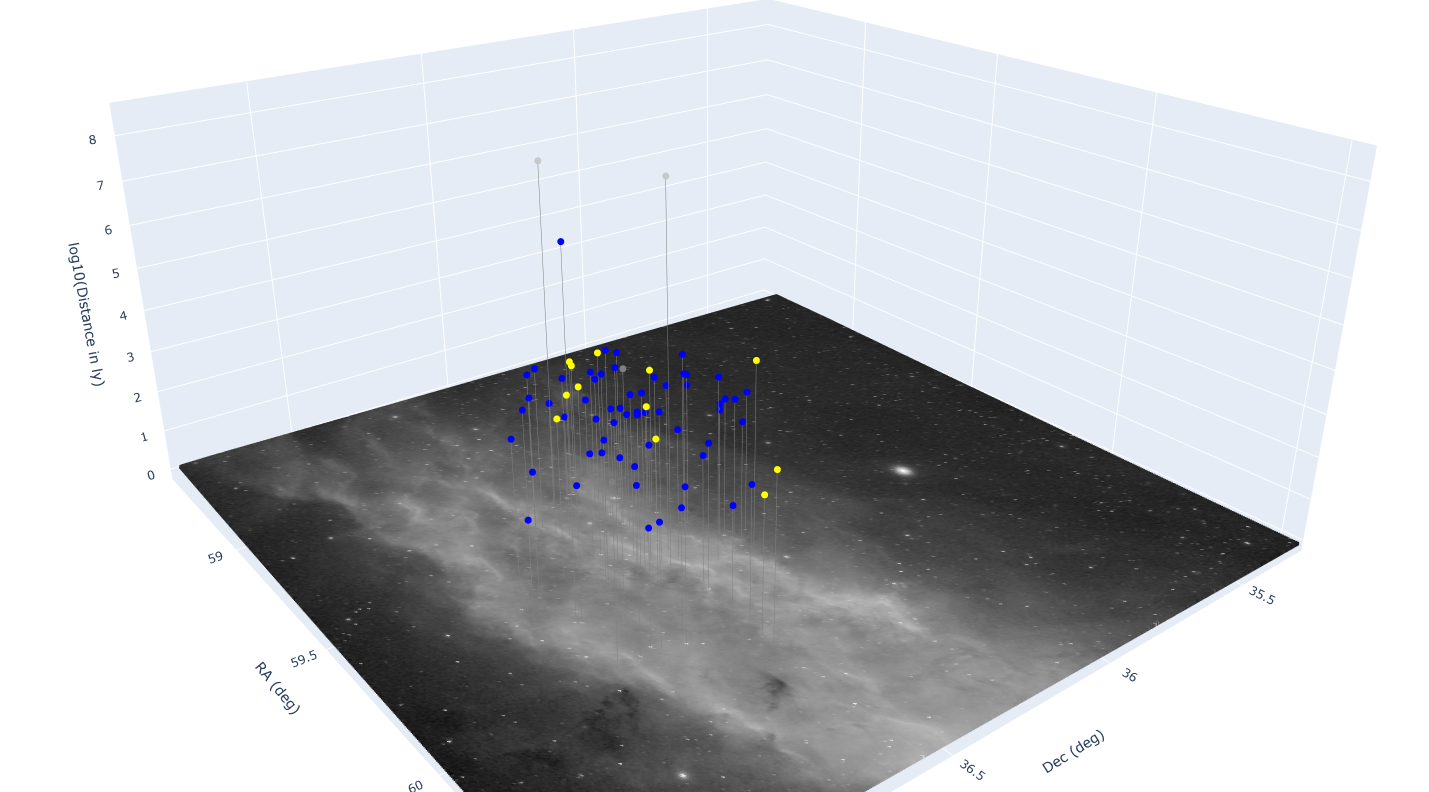
3D Distance Modelling
And So So So much more…..
