Seti Astro
Suite Pro
One application from raw subframes to finished image. Calibration, stacking, registration, deconvolution, photometry and 3D visualization, built for astrophotographers who want to understand what every slider is doing.

SASpro is free software under the GPLv3. No licence key, no subscription, no feature tiers, nothing that expires. Behind it: two years of work on the Seti Astro tools, fourteen months and 3,000+ commits on SASpro itself, and one developer. It stays free either way.
Support the project →Install it in about two minutes
Pick your platform. The macOS build is signed and notarized, so Gatekeeper stays out of your way.
brew tap setiastro/setiastrosuiteprobrew install --cask sasprobrew upgrade --cask sasprobrew install --formula saspro instead,
then launch with setiastrosuitepro.
It takes longer and pulls roughly 1.6 GB of dependencies, but you get the PyPI source build.
pip install setiastrosuiteprosetiastrosuiteprogit clone https://github.com/setiastro/setiastrosuitepro.git
cd setiastrosuitepromain between releases.pip install -e .A complete pipeline, not a plugin collection
Every stage shares one document model, one undo history and one headless command layer, so anything you can click you can also script.
A full reduction pipeline with rejection math you can actually reason about.
- Master bias, dark and flat builders
- Winsorized sigma, kappa-sigma and Rosner ESD rejection, per channel and per pixel
- Per-channel normalization for one-shot colour data
- CFA drizzle for dithered, undersampled sets
- Registration Sets, so each mosaic panel gets its own reference frame
- Satellite trail removal during calibration
Align first, judge honestly, then integrate.
- Star-based alignment with polynomial residual refinement
- Anti-ringing warp that keeps Lanczos sharpness without dark halos on bright stars
- Blink Comparator with a weighted quality score
- Frames are downweighted rather than thrown away
- Acquisition summaries: nights, total integration, per filter
Everything you do before the stretch, done properly.
- Dynamic background extraction and automatic background extraction
- Background neutralization and star-based white balance
- Spectrophotometric standard star colour calibration
- Continuum subtraction with an interactive strength preview
- Multi-frame deconvolution with a rejection-aware extension
Narrowband work without the pixel-math homework.
- Statistical Stretch and Star Stretch
- Universal Hyperbolic Stretch, plus a GHS mode
- Perfect Palette Picker: 18 palettes shown all at once in a gallery grid
- Narrowband Normalization
- Curves, Levels, Linear Fit, SatChroma
Local contrast and cleanup tools that respect your masks.
- WaveScale HDR and WaveScale Dark Enhancer
- CLAHE, Texture and Clarity
- Halo-B-Gon and green removal
- Blemish Blaster, plus Linear Blaster for satellite trails and cosmic rays
- Diffraction spike generation
- Layers dock with blend modes and a before/after split
Cosmic Clarity ships with the suite. No separate download, no shell scripts.
- Cosmic Clarity sharpen, denoise and walking-noise models
- SyQon Parallax, Prism and Starless
- A bridge to the RC-Astro command line tools
- GraXpert integration
- Mask-aware blending across every AI tool
- Hardware-aware backend: CUDA, ROCm, XPU, DirectML, MPS, CPU
Real measurement, not just pretty pictures.
- In-house Gaia DR3 plate solver, plus ASTAP and Astrometry.net
- Focal length recomputed from the solved plate scale
- Magnitude tool driven by a local Gaia XP catalogue
- Exoplanet transit detection with AAVSO export, including multi-band from colour data
- Supernova and asteroid hunting against an MPC-derived catalogue
- What's In My Image object identification via SIMBAD and VizieR
Tools for looking at your data from angles a flat image cannot show.
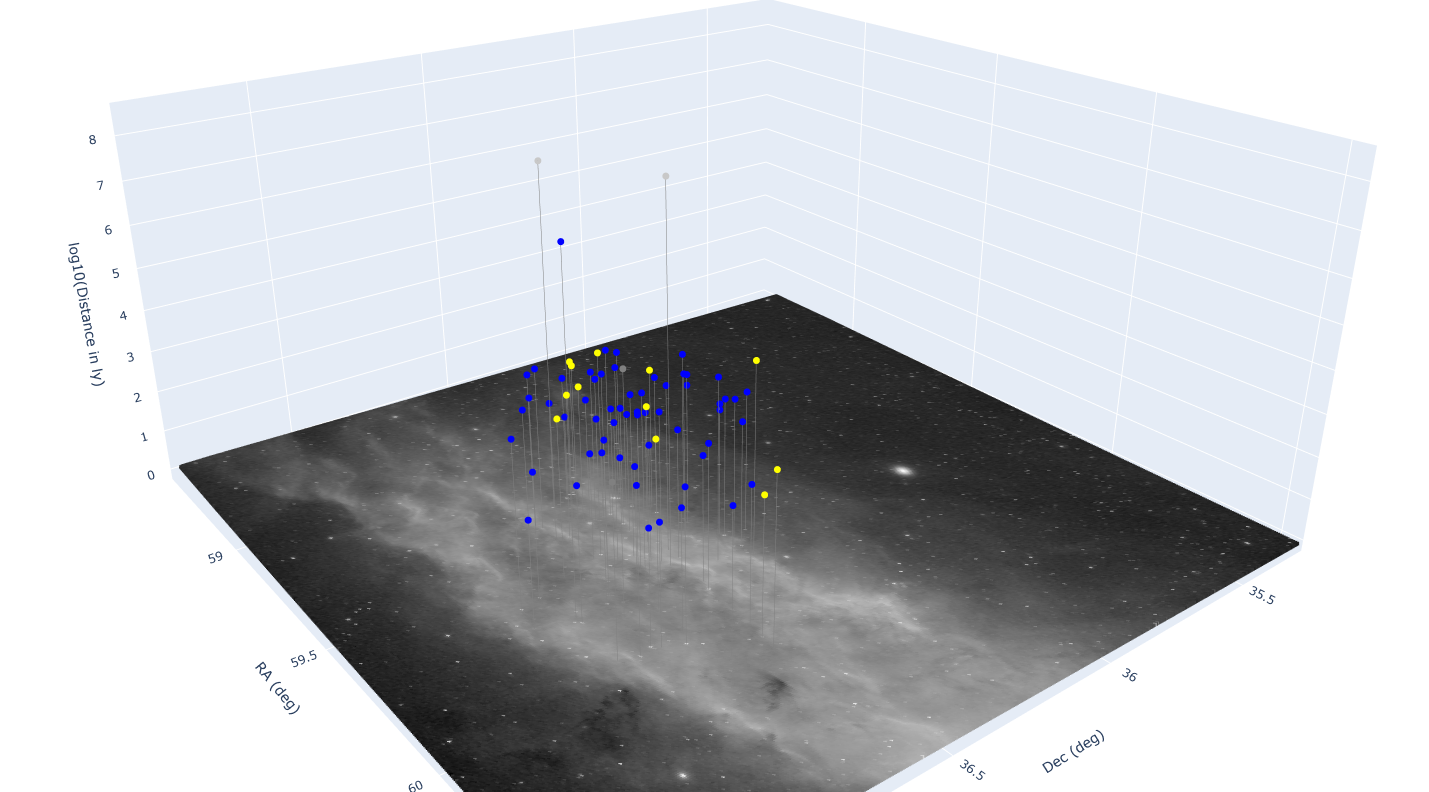
- Stellar Neighborhood Explorer in 3D
- Orbit Explorer for minor bodies, placed at your frame's observation time
- Nebula Flythrough with per-layer effects
- 3D distance modelling
- Community Sky Atlas
The parts that save you an hour a week.
- Drag-and-drop preset grips on every major tool
- Workflow Assistant with session autosave
- A headless command for every operation
- Python user scripts
- N.I.N.A. integration through the SASproSolver shim
- SLaP Toolkit for solar, lunar and planetary work
See the full tool list
Calibration & integration
- Master bias / dark / flat
- Dark optimization
- Cosmetic correction
- Flat strength optimizer
- Drizzle and CFA drizzle
- Skip-registration integrate
- Comet stacking and blending
- Dither phase analysis
Geometry
- Star alignment
- WCS reprojection
- Mosaic Master
- Crop with multi-image overlap view
- Unwarp (SIP distortion removal)
- Rotate, resample, mirror
Linear
- ABE and DBE
- Background neutralization
- Star-based white balance
- SSSC colour calibration
- Linear fit
- Continuum subtraction
- Convolution and deconvolution
- Multi-frame deconvolution
Stretch
- Statistical Stretch
- Star Stretch
- Universal Hyperbolic Stretch
- GHS
- Curves and Levels
Colour
- Perfect Palette Picker
- Narrowband Normalization
- SatChroma
- Remove green / SCNR
- Channel combination and extraction
Detail
- WaveScale HDR
- WaveScale Dark Enhancer
- CLAHE
- Texture and Clarity
- Morphological operations
- Halo-B-Gon
- Aberration AI
- FX
Repair
- Blemish Blaster
- Linear Blaster
- Satellite trail removal
- Diffraction spikes
AI
- Cosmic Clarity sharpen
- Cosmic Clarity denoise
- Walking-noise model
- SyQon Parallax
- SyQon Prism
- SyQon Starless
- Remove Stars
- RC-Astro bridge
- GraXpert
Measurement
- Gaia DR3 plate solver
- ASTAP and Astrometry.net
- Magnitude tool
- Exoplanet detector
- AAVSO export
- Supernova / asteroid hunter
- What's In My Image
- What's In My Sky
Visualization
- Layers dock
- Stellar Neighborhood Explorer
- Orbit Explorer
- Nebula Flythrough
- 3D distance modelling
- Blink Comparator
Solar system
- SLaP Toolkit
- Surface mosaics
- Planetary alignment
Workflow
- Preset drag grips
- Workflow Assistant
- Headless commands
- Python user scripts
- N.I.N.A. solver shim
- Swap-based undo history
What it looks like in use



Watch it work
Walkthroughs of the pipeline, from calibration through to a finished narrowband image.




What you need to run it well
SASpro will start on very modest hardware. Processing a real night of data from a modern camera is a different question, and it is worth being honest about it.
Memory
Stacking, alignment, rejection and GPU-assisted processing all want headroom.
| 16 GiB | It will run, and it is fine for small sets and single-frame work. |
| 32 GiBMinimum | The realistic floor for practical processing with current cameras. |
| 64 GiBRecommended | Comfortable for production work on full nights of data. |
| 128 GiB | Large mosaics, long integrations and high resolution sensors. |
Storage
Most of the pipeline is heavily I/O bound and writes large temporary files. Keep your images and your working folder on the fastest internal drive you have.
Platforms
| Windows | Primary platform. Installer on GitHub Releases. |
| macOS | Apple Silicon and Intel, 12 Monterey and later. Signed and notarized. |
| Linux | Installer on GitHub Releases, or via pip and pipx. |
| Python | 3.12 for the installer, 3.12 to 3.14 for pip and source. |
No clear skies? Borrow mine
Two curated sets to learn the pipeline on, plus the whole public archive if you want something specific to practise with.
You will not be on your own
If it has earned a place in your workflow
You have seen what it does now. If SASpro has saved you time, rescued a night of data, or salvaged an image you were about to give up on, a donation goes straight back into the development: hardware to test on, catalogue hosting, and the time to keep building. There is no wrong amount.
Not in a position to donate? Using it, reporting bugs and telling other imagers about it is worth just as much.
