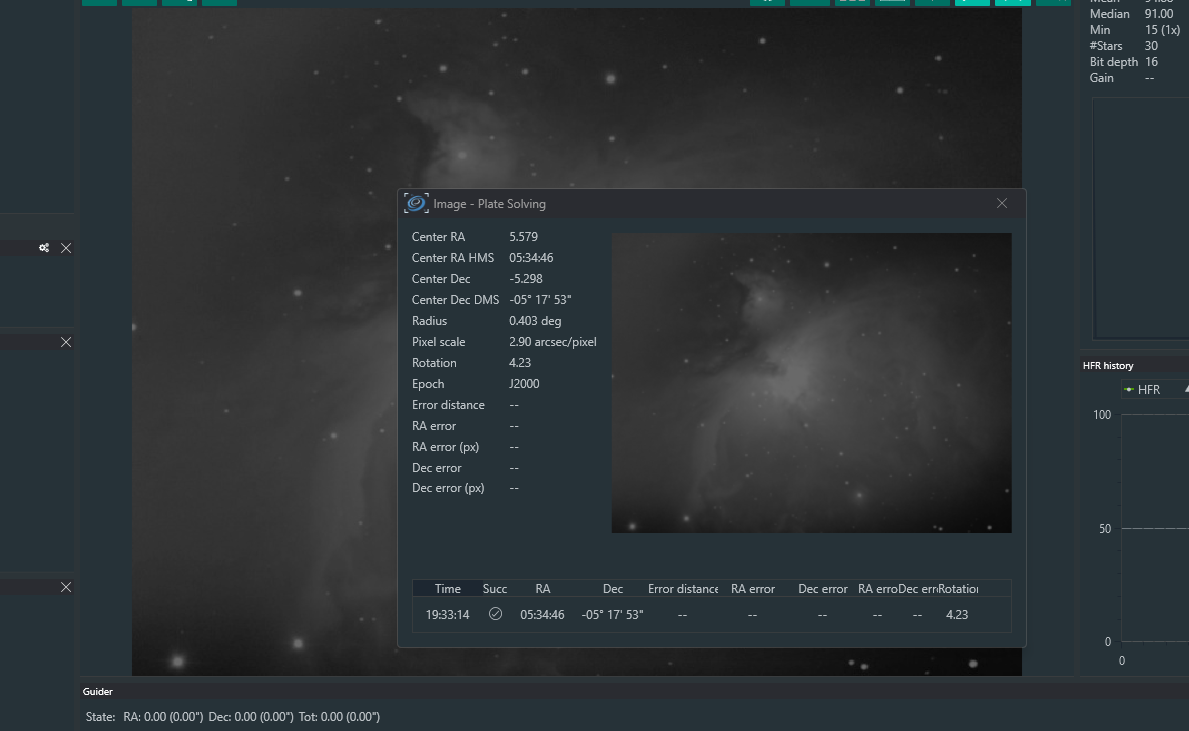
Plate Solving in NINA with SASpro
The Quick Version
Get the latest version of SASpro
Get the SASproSolver.exe
Since NINA does not yet support arbitrary 3rd party solvers in 3.2 (feature will be coming in 3.3)
Open NINAGo to Options → Plate Solving
Replace the ASTAP/ASPS/PS2/or PS# path with the path to SASproSolver.exe. You will have to copy and paste or type the path in, the … button will not work.
Enjoy SASpro Plate Solving!
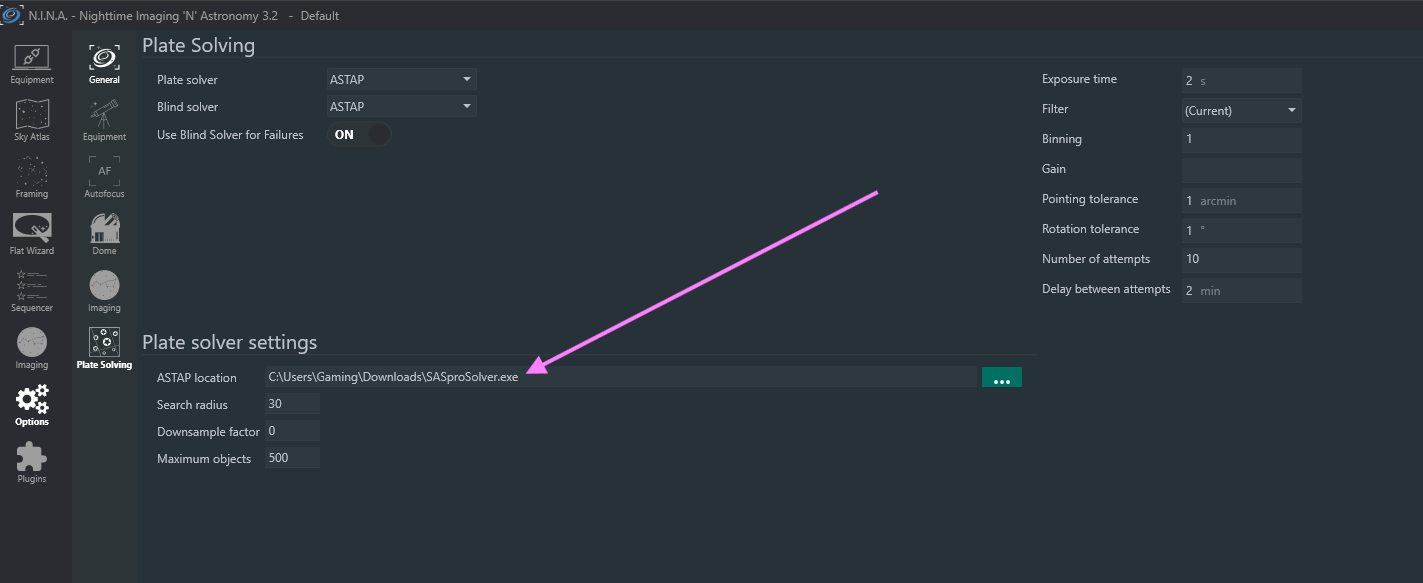
N.I.N.A. → Options → Plate Solving
SASpro Solver Slots
N.I.N.A. offers eight plate solvers. Four of them launch whatever
executable you point them at, so SASproSolver.exe
drops into any of those four and answers in that solver's own command
line and result format. The other four reach their solver by some route
other than running a program, and no amount of path-setting changes that.
Point it here 4 of 8 · all report the same solution
-
ASTAP
-f-fov-r-ra-spd· RA in hours,-spdis dec + 90 -
All Sky Plate Solver
/solvefile+ focal length and pixel size · RA in degrees -
PlateSolve2
One comma-joined argument with the frame path inside it · angles in radians
-
PlateSolve3
Frame path plus four bare numbers · angles in radians, image scale in pixels per radian
Not these 4 of 8 · no executable to replace
-
Local Plate Solver
The one that looks like a fit. N.I.N.A. always runs cmd.exe, hardcoded, and treats the path you set as a cygwin root directory rather than a solver. It builds
<root>\bin\bash.exe, runs/usr/bin/solve-fieldin a login shell, then reads the answer by runningwcsinfoin a second bash subprocess. Standing in for it means shipping a cygwin-shaped directory tree, not repointing a path. -
Astrometry.NET
A web service. The settings are a URL and an API key, and there is no local program in the path.
-
TheSkyX ImageLink
Talks to TheSkyX over a TCP socket, configured as a host and a port.
-
PinPoint
A COM object, created in-process. Nothing is launched.
Setting it up
- Pick any one of the four green slots, whichever is free or whichever real solver you are replacing.
- Set that slot's location field to the full path of
SASproSolver.exe. - Set Blind failover to the same slot, except PlateSolve2, which N.I.N.A. will not offer.
Nothing else to configure. The exe reads the argument shape to work out which solver it is standing in for, so it needs no setting to tell it.
All four report the same solution. Each one runs the same solve and converts the one result into that slot's format. Checked by sweeping 7,800 CD matrices through ports of N.I.N.A.'s own result readers: RA, declination, pixel scale and position angle come back identical in every case.
Two slots cannot carry mirrored parity. All Sky Plate Solver and PlateSolve3 have no field for it, so a flipped frame arrives without the flag. It costs nothing: N.I.N.A. stores that flag and never reads it, and position angle, which does steer a rotator, is exact in all four.
On N.I.N.A. 3.3 and later none of this is needed. The plugin registers SASpro as its own entry in these dropdowns, with its own settings panel and honest blind support.
NOTES
In SASpro, be sure to go to the GAIA Library and Build the Quad Dictionaries: See my Video on it